
Connecting your AI key
Turn on AI site and page writing by connecting your own OpenAI or Anthropic (Claude) API key.
AI is completely optional — everything else in XSiteBuilder works without it. Once connected, you can generate a whole site, or a single page, from a short description.
AI uses your own API key from an AI provider, so usage is billed by them directly to you.
Get an API key
- Anthropic (Claude): sign in at console.anthropic.com → API Keys → Create Key. Add some credit under Billing.
- OpenAI: sign in at platform.openai.com → API keys → Create new secret key. Add credit under Billing.
Copy the key — you'll only see it once.
Connect it
Go to Settings → AI (optional):
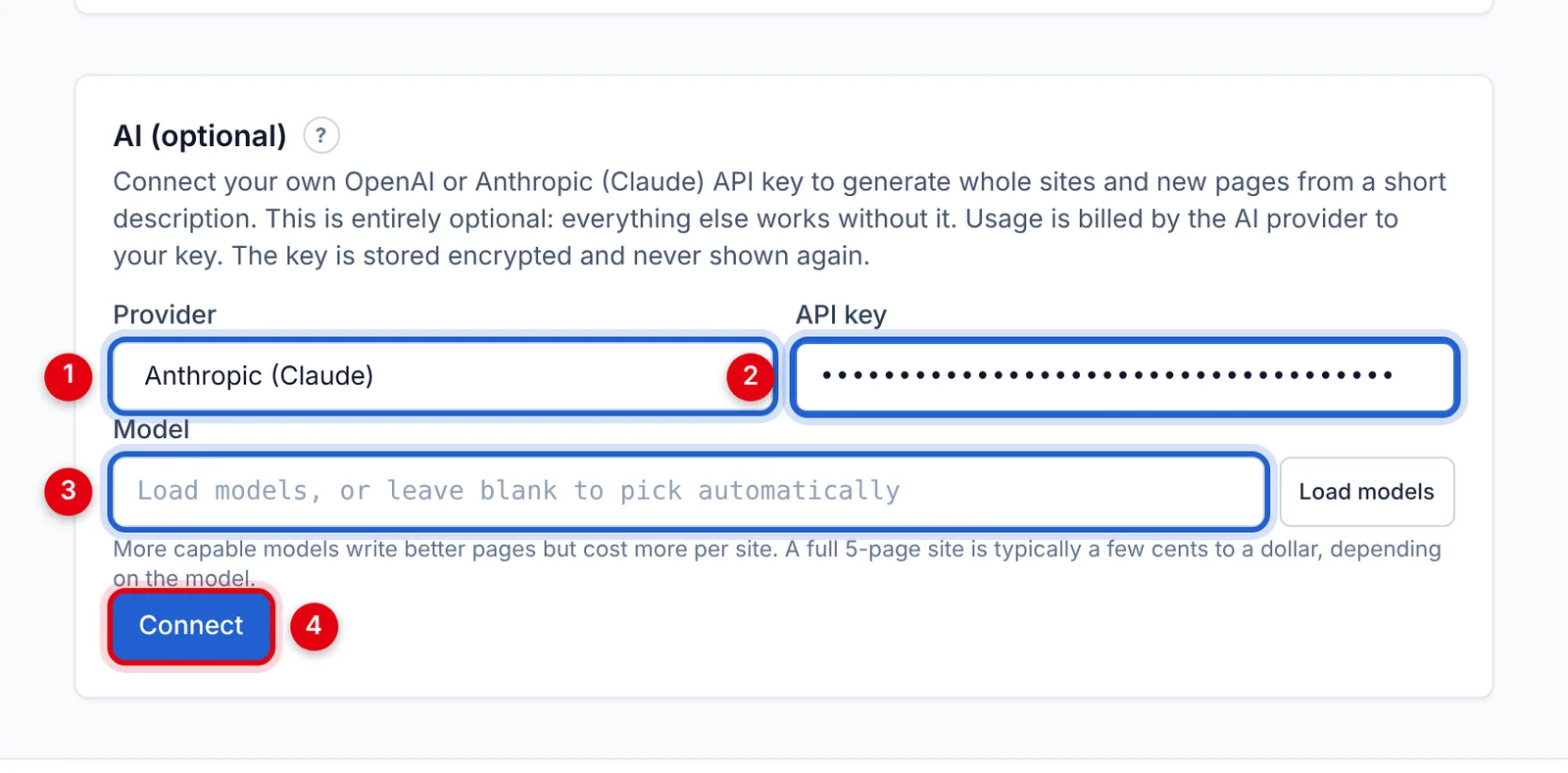
- Choose your Provider.
- Paste your API key.
- Optionally click Load models and pick a Model — or leave it blank and a good one is chosen for you.
- Click Connect.
We check the key works before saving. It's stored encrypted and never shown in full again:

Only workspace owners and admins can connect or change it. To stop using AI, click Disconnect.
What does it cost?
More capable models write better pages but cost more. A full 5-page site typically costs a few cents to a dollar on your provider's bill, depending on the model. One page costs a fraction of that.
Privacy
To write pages, the provider you chose receives your description, your site's name and its page names. When writing a single page, your home page is also sent so the new page can match its header, footer and style. Nothing else from your workspace is sent.
Didn’t find what you need? Contact support.