
Who receives form emails
Choose which email addresses get your sites' contact-form messages.
By default, contact-form messages are emailed to the workspace owner.
To send them somewhere else:
- Go to the site's page (Manage) → Settings.
- In Send form messages to (3), enter one or more addresses separated by commas — up to 5.
- Click Save settings.
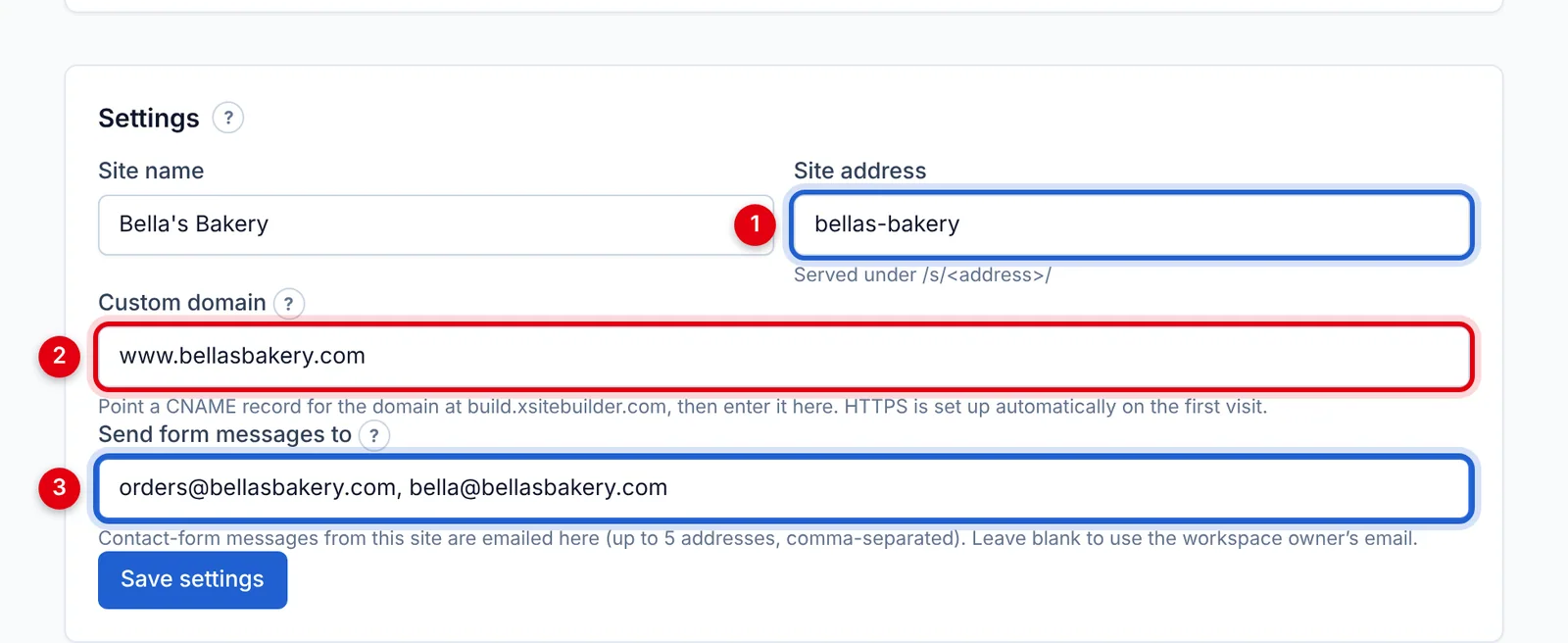
Each site can have different recipients. Every message is also kept under Form messages on the site's page, even if an email doesn't arrive.
Want the emails to come from your own address? See Sending form emails through your own email account.
Not getting them? See Form emails not arriving.
Updated Oct 12, 2026, 7:47 PM
Didn’t find what you need? Contact support.