
Starting from a template
Pick a ready-made design for a new site or a new page.
For a new site
On the Sites page, the New site card has a Start from menu:
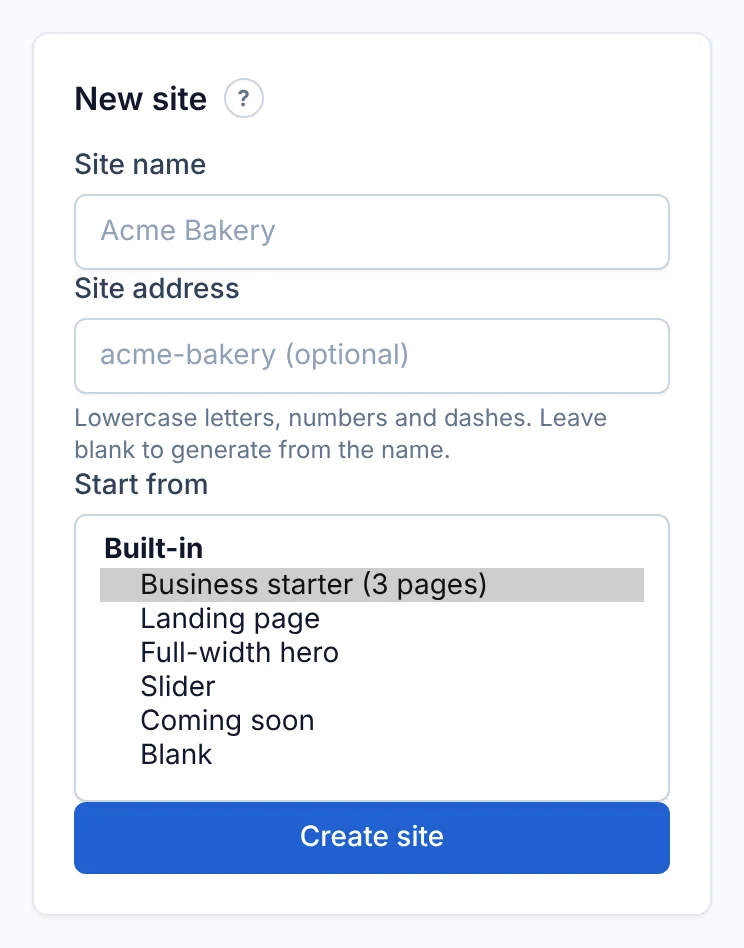
Templates are grouped by category. Those with more than one page say so, e.g. "(3 pages)" — all of those pages are created for you.
For a new page
In the editor, click + Page and choose from Start from:
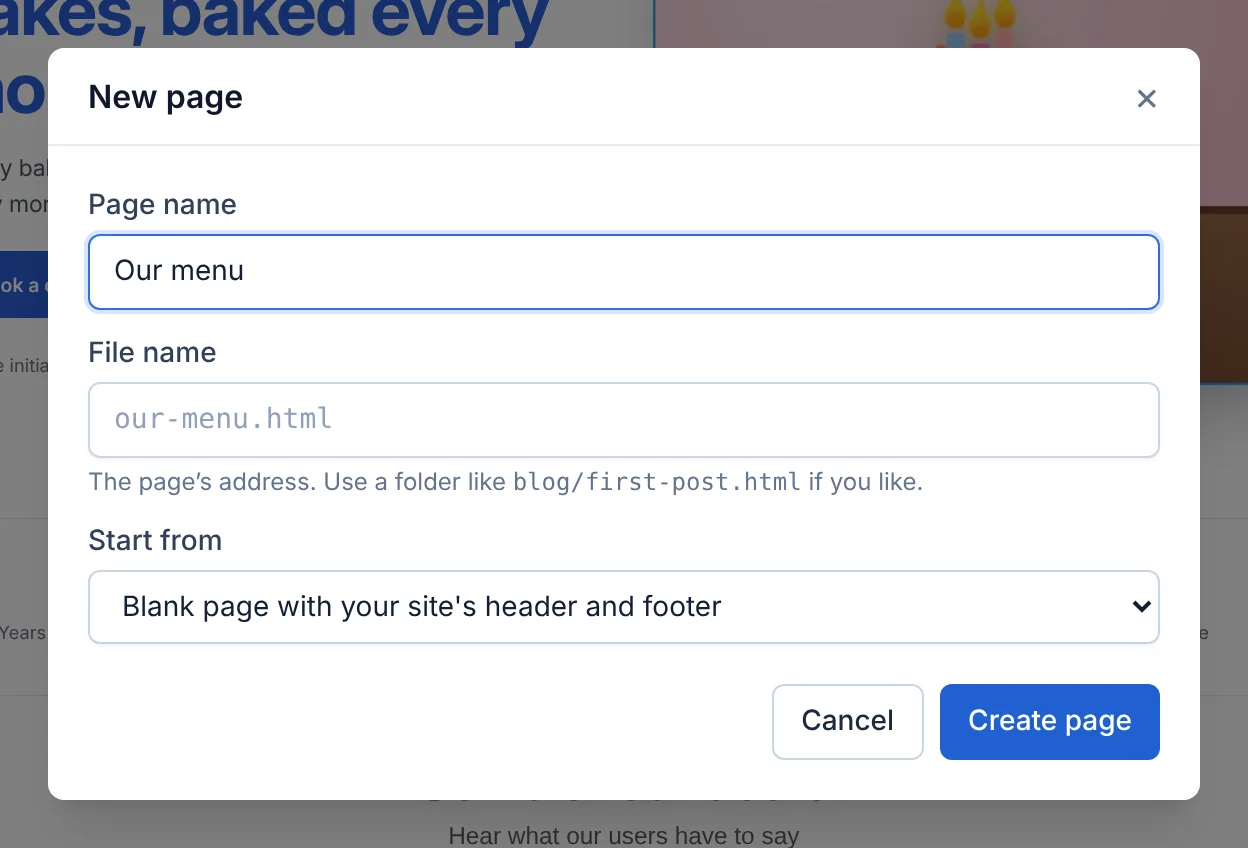
The first choice, Blank page with your site's header and footer, matches the rest of your site. Other templates also get your site's header and footer automatically, so every page looks like it belongs.
Making a template your own
A template is just a starting point — everything can be changed: text, pictures, colours, fonts and the order of sections. Delete the sections you don't need and add new ones from Add. To change the colours and fonts of the whole site, use Site colours and fonts. See Editor basics.
Didn’t find what you need? Contact support.