
Your site's web address
Where your site lives, and how to change its address.
Every site gets a free address based on its site address (for example bellas-bakery). The full link is at the top of the site's page (Manage) — click Copy to copy it.
Change the address
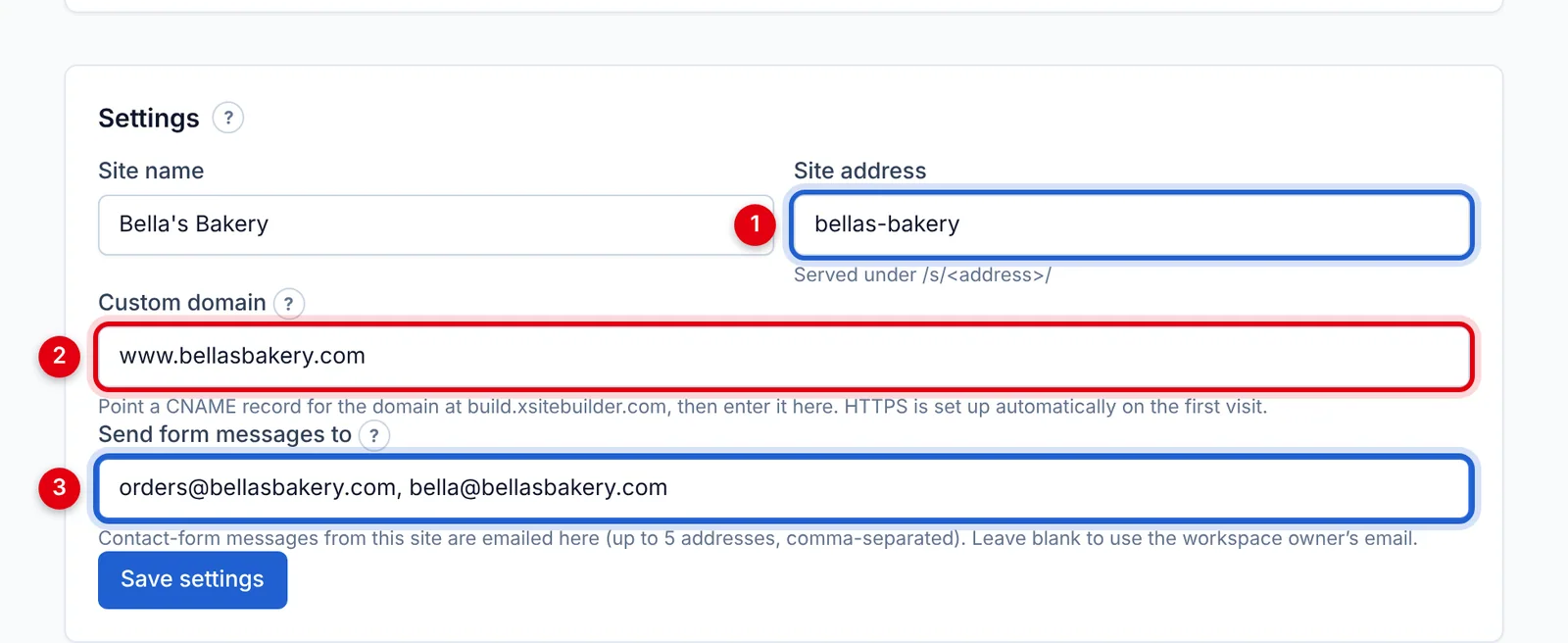
- Go to the site's page (Manage) → Settings.
- Change Site address (1) — lowercase letters, numbers and dashes, 3 to 48 characters.
- Click Save settings.
The old address stops working straight away, so update any links you've shared. Only workspace owners and admins can change this.
Want an address like www.yourbusiness.com? See Using your own domain.
Updated Oct 12, 2026, 7:47 PM
Didn’t find what you need? Contact support.