
Upgrading your plan
Move to a bigger plan, see what you're using, and manage your subscription.
Go to Settings → Plan & billing:
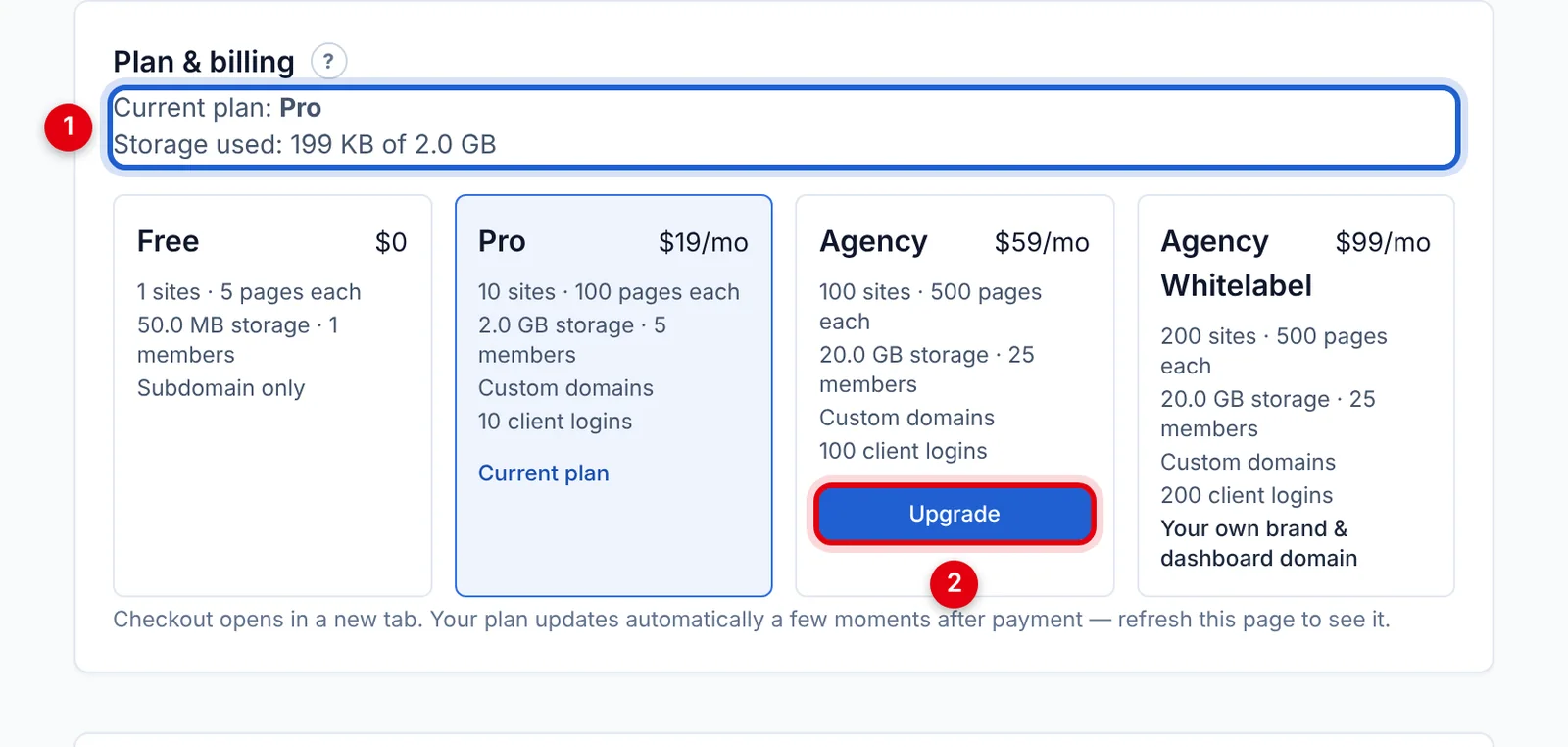
- Your current plan and how much storage you're using.
- Click Upgrade under the plan you want, and complete the checkout that opens in a new tab. Use the same email address as your XSiteBuilder account.
Your plan updates automatically a few moments after payment — refresh the page to see it. The new limits apply straight away.
Only the workspace owner can upgrade, and each workspace has its own plan.
Changing or cancelling
- If you see Manage subscription & invoices, click it to change your card, download invoices, switch plan or cancel.
- Otherwise, use the link in your purchase receipt email. If you upgrade from one paid plan to another, remember to cancel the old one.
Moving to a smaller plan never deletes anything — but you can't add more sites, pages, files or members until you're back within its limits.
Updated Oct 12, 2026, 7:47 PM
Didn’t find what you need? Contact support.