
Form emails not arriving
What to check when contact-form messages don't reach your inbox.
First, check the site's page (Manage) → Form messages. Every message is kept there, even if the email failed — nothing is lost.
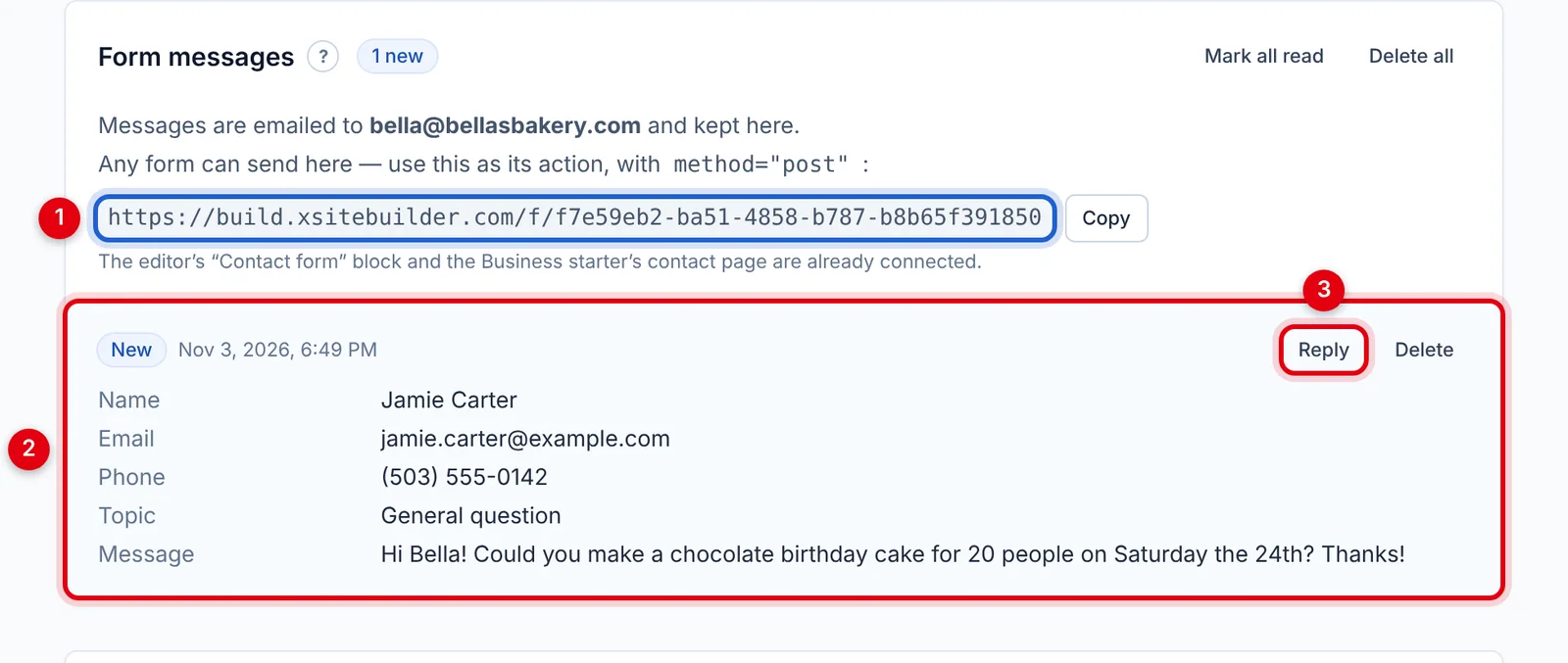
If the message is there
Look at the small note next to the message's date:
- No note — the email was sent. Check your spam or junk folder, and add the sender to your contacts.
- "email not sent (…)" — the reason is in brackets. Often it's a wrong password or server setting in your own mail server settings.
- "sent via …" — your own mail server failed, so we sent it another way. The reason is shown.
Also check Settings → Send form messages to on the site's page — is the address right?
If the message isn't there
- Has the site been published since you added the form?
- Is the form connected? The Contact form block always is. Your own forms need the right Action and Method POST.
- Sent lots of test messages quickly? Each visitor can send 5 messages per 10 minutes.
Using Gmail?
Gmail needs an app password — your normal password won't work. See Sending form emails through your own email account.
Updated Oct 12, 2026, 7:47 PM
Didn’t find what you need? Contact support.