
Making copied pages your own (before publishing)
Why a "Full copy" can't be published straight away, and how to see what's left to change.
When you copy a website with Full copy, its pages still contain someone's original text and photos. To protect website owners, a site with copied pages can only be published once most of that content has been replaced:
- At least 60% of the original text must be changed.
- At least half of the original photos must be replaced.
Checking your progress
On the site's page (Manage), the Copied pages section shows each copied page:
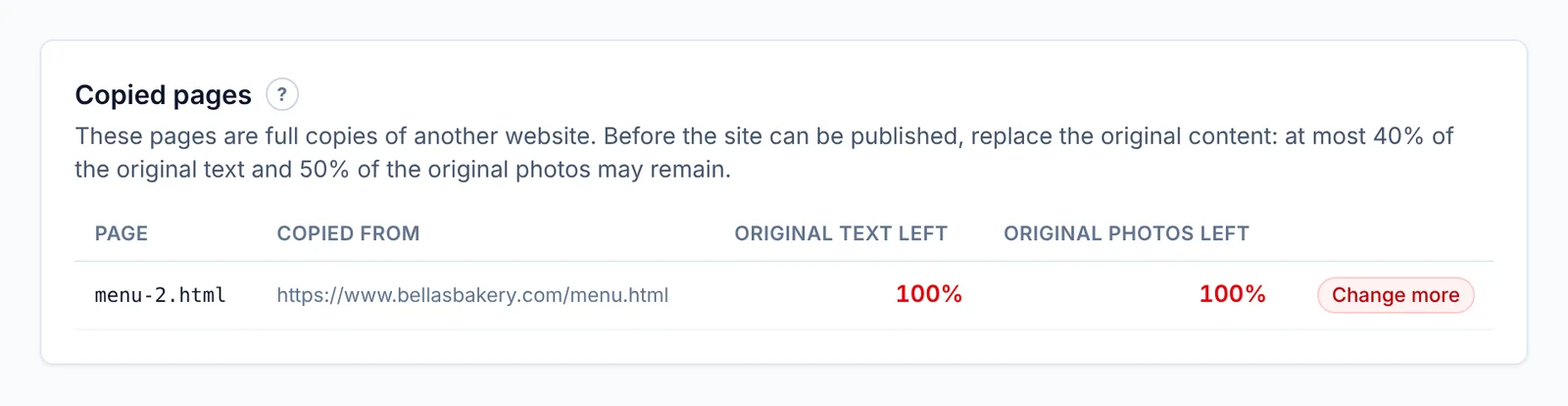
- Original text left and Original photos left — red until they're low enough.
- Ready once a page passes, or Change more if it doesn't yet.
When every page shows Ready, you can publish.
Tips
- Rewrite headings and paragraphs in your own words — small edits to a sentence still count as the original.
- Replace photos with your own (double-click a picture). See Images and media.
- Deleting sections you don't need counts too.
- Pages copied with Layout only don't need any of this — they start with placeholders.
Updated Oct 12, 2026, 7:47 PM
Didn’t find what you need? Contact support.