
Changing styles (colours, fonts, spacing)
Use the Design panel to change how anything looks, and how to style just the mobile version.
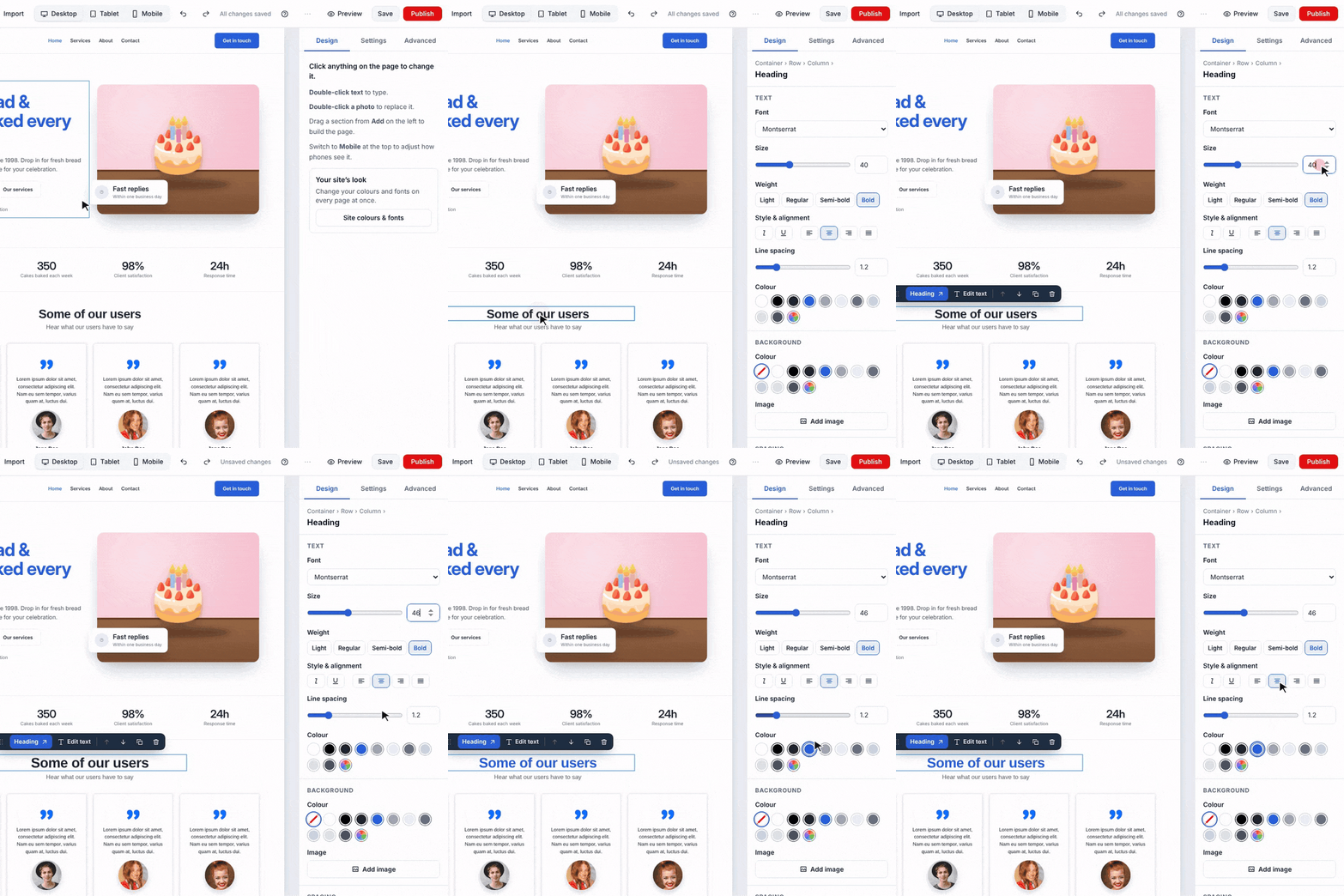
- Click the item you want to change.
- In Design on the right, change what you like. Changes show straight away.
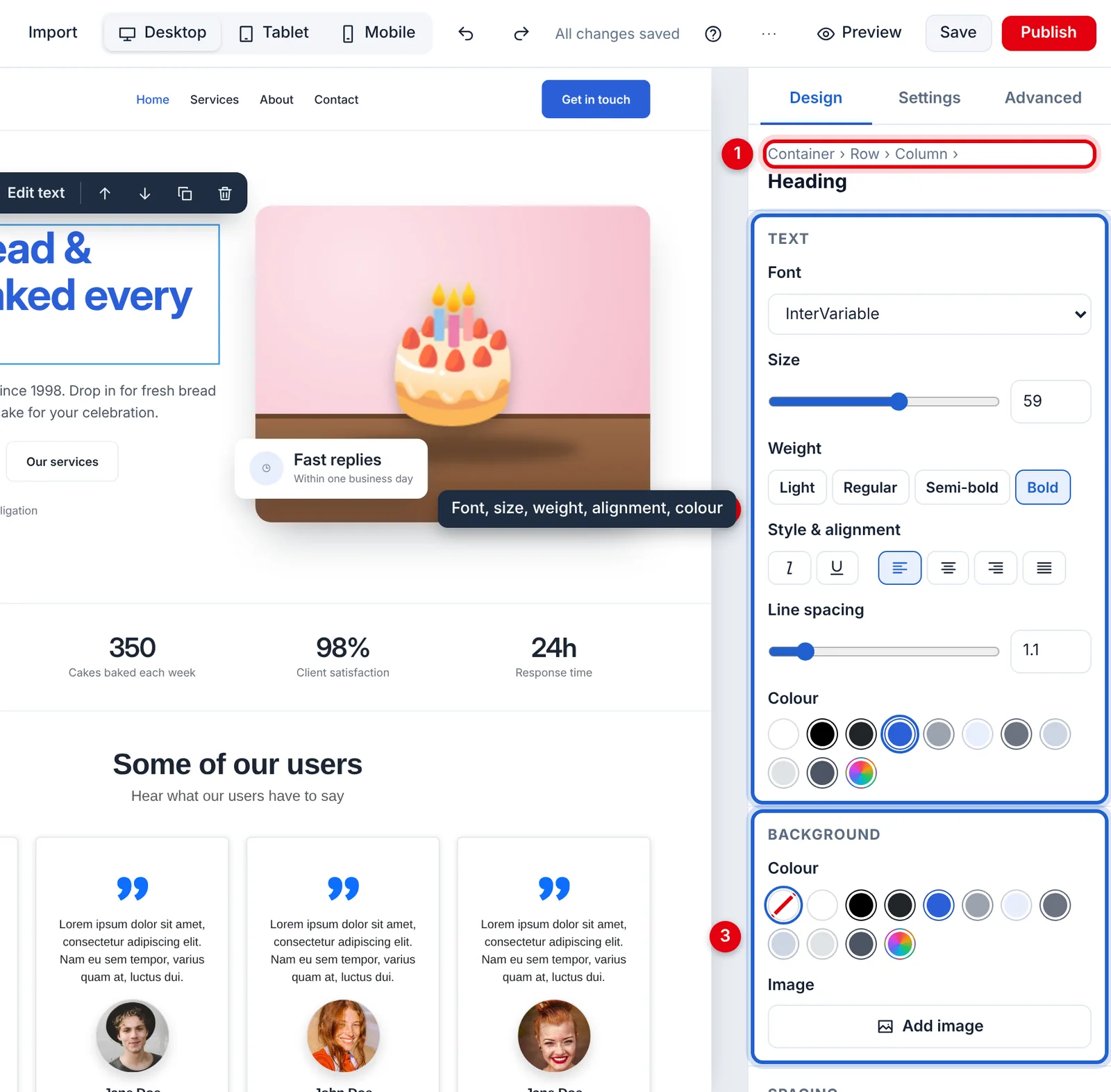
- What's selected, and the items around it. Click one to select it instead.
- Text: font, size, weight, style, alignment, line spacing and colour.
- Background: a colour or a picture.
Further down are Spacing, Shape (rounded corners and shadow) and Visibility. For a link or button there's Link too, and for a picture, Image.
The colour circles are the colours your page already uses, so everything stays on-brand. The rainbow circle picks any other colour.
Where to find things
| To change… | In Design, open |
|---|---|
| Text font, size, colour, alignment | Text |
| Background colour or picture | Background |
| Space inside or around an item | Spacing |
| Rounded corners, shadow | Shape |
| Where a link or button goes | Link |
| Hide something on phones | Visibility |
To change the colours or fonts on every page at once, use Site colours and fonts instead.
Advanced
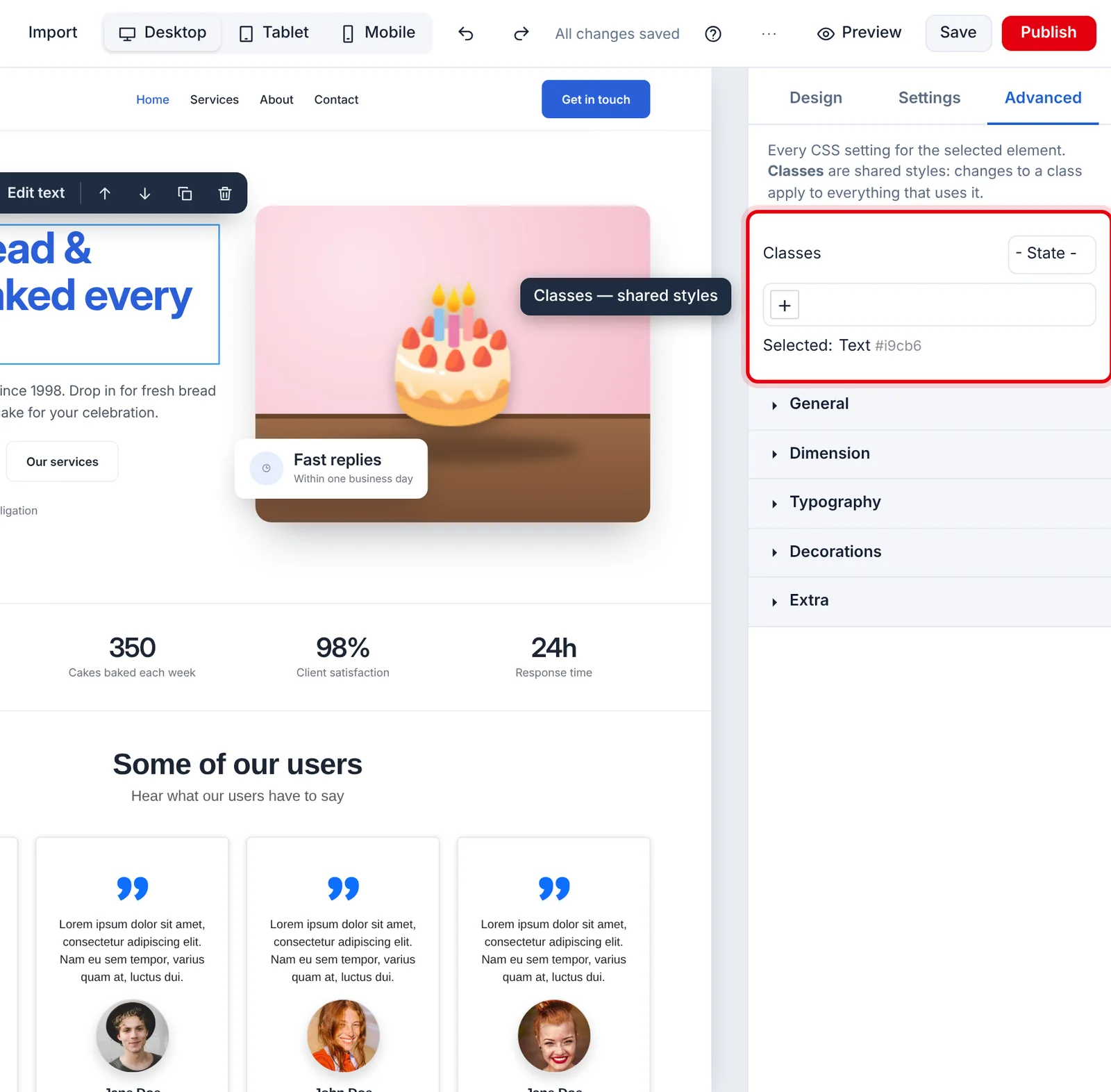
Advanced has every style setting there is (sizes, borders, positions, flex layouts and more) for when Design doesn't have what you need.
At the top are the item's classes: shared style names. While they're ticked, a change you make in Advanced applies to every item that shares them, which is handy for making all your buttons match. To change just this one item, untick the classes first. (Design always changes just the item you've selected.)
Phones and tablets
Styles follow the screen size you're looking at:
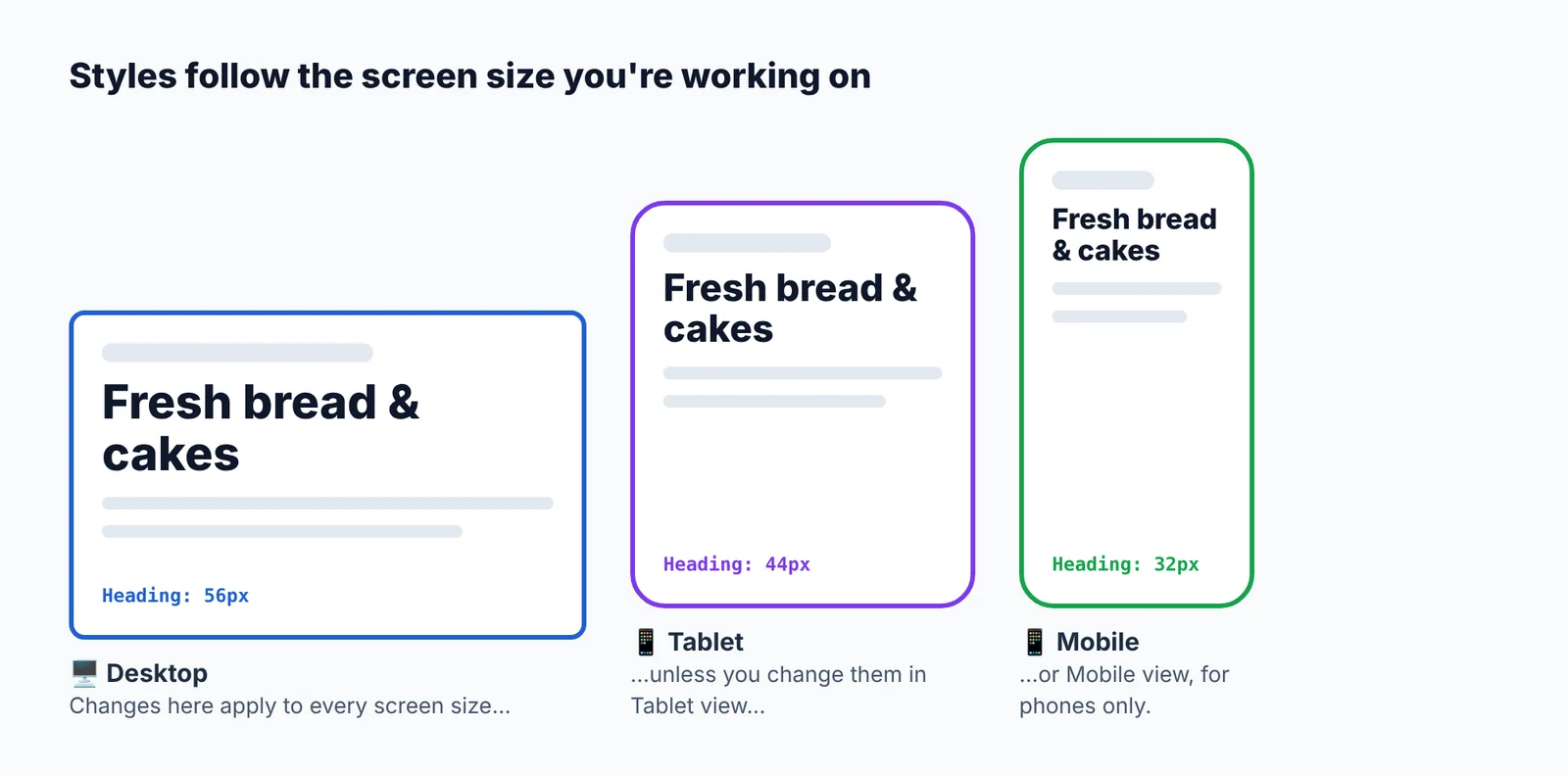
So if a heading is too big on phones, click Mobile, select it, and make it smaller there. The desktop version stays as it is. See Mobile and tablet views.
Didn’t find what you need? Contact support.