
Welcome to XSiteBuilder
What you can build, and the few ideas that make everything else make sense.
XSiteBuilder lets you build, edit and publish websites in your browser — no code needed. Start from a ready-made template, import a site you already have, copy the layout of your old website, or (optionally) describe your business and let AI write a first draft.
The videos in this Help Center have a spoken voiceover and on-screen captions, so you can follow along with the sound on or off.
How your account is organised
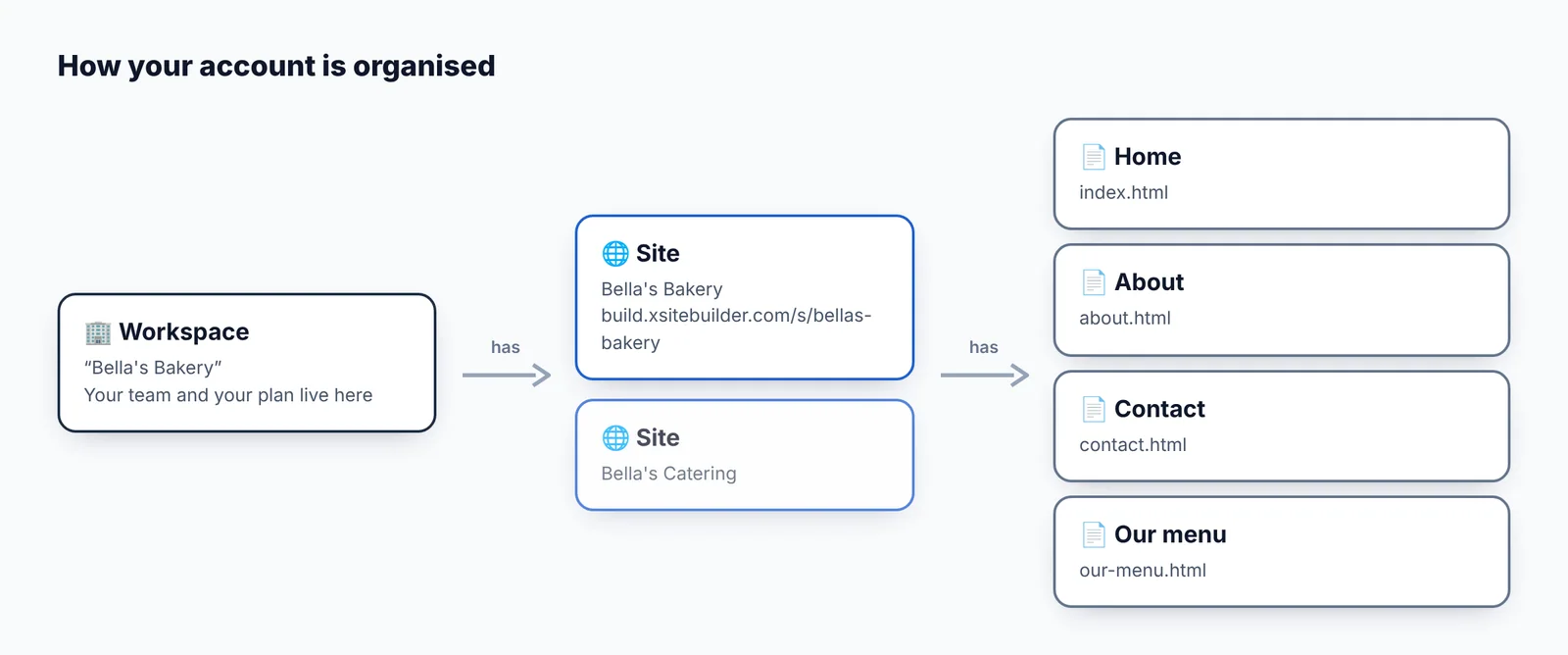
Workspaces. Everything lives in a workspace: your sites, your team and your plan. Most people only ever need one. Agencies often make one workspace per client.
Sites. A site is a collection of pages with its own web address. How many sites you can have depends on your plan.
Pages. Each page is edited visually in the editor. The home page is always index.html.
Draft and live
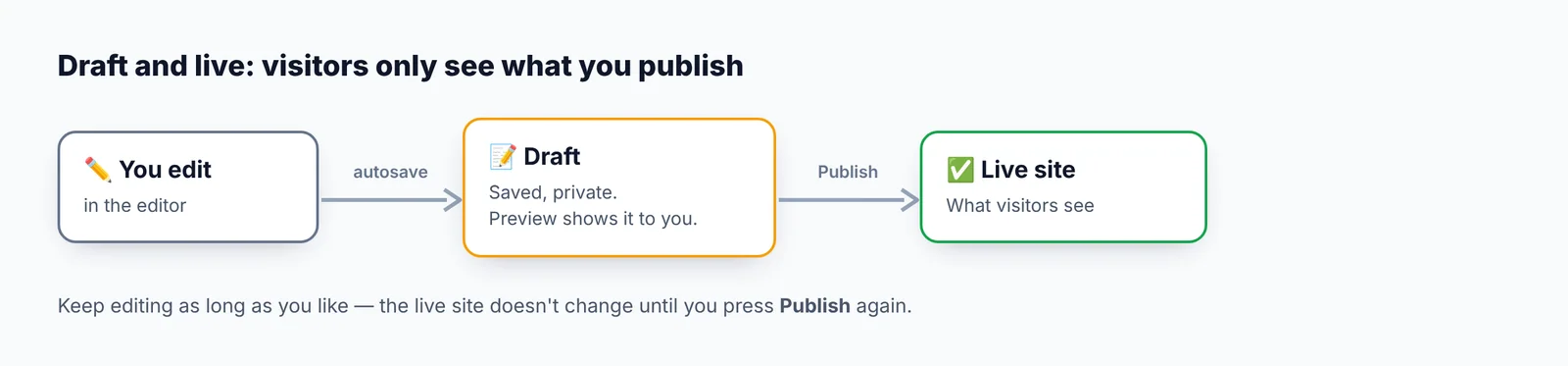
Everything you change is saved as a draft. Visitors only see your changes after you press Publish — so you can work on a site for days without anyone seeing a half-finished page.
Where to go next
- Create your first site — a five-minute walkthrough.
- A tour of your dashboard — what each screen is for.
- Editor basics — how to change text, pictures and layout.
Didn’t find what you need? Contact support.