
Sending form emails through your own email account
Use your own mail server (Gmail, Google Workspace, Microsoft 365 or your web host) so form emails come from your address.
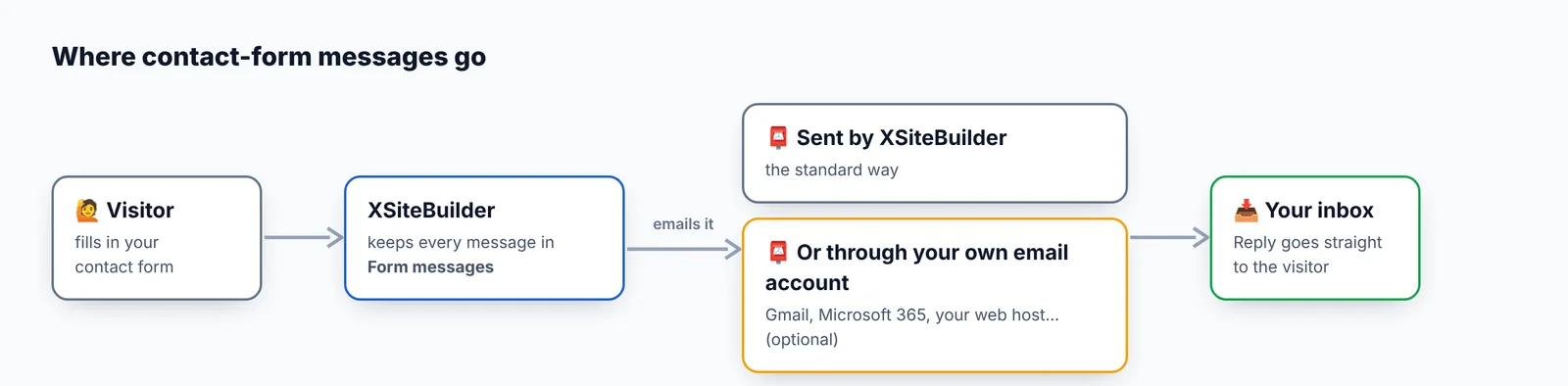
Normally contact-form emails are sent by XSiteBuilder. You can send them through your own email account instead: they then come from your own address and are less likely to land in spam.
Set it up
Go to Settings → Email for contact forms (optional):
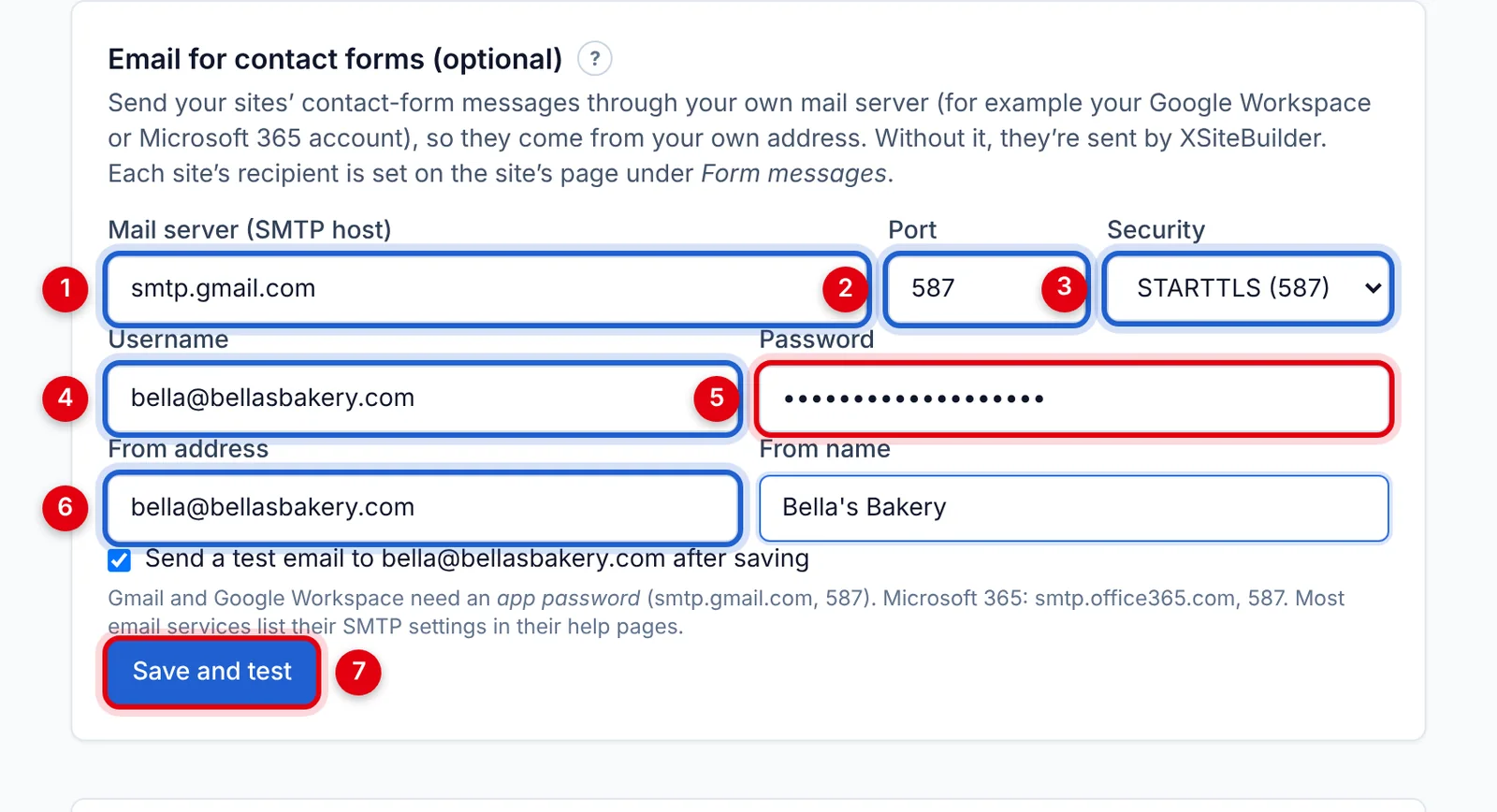
- Mail server (SMTP host) — see the table below.
- Port
- Security
- Username — usually your full email address.
- Password — for Gmail, an app password (below).
- From address and From name — who the emails appear to come from.
- Leave Send a test email … after saving ticked and click Save and test.
We connect to your mail server before saving, so you'll know straight away if something's wrong. Your password is stored encrypted. Only workspace owners and admins can change this, and it applies to every site in the workspace.
Common settings
| Provider | Server | Port | Security |
|---|---|---|---|
| Gmail / Google Workspace | smtp.gmail.com | 587 | STARTTLS |
| Microsoft 365 / Outlook | smtp.office365.com | 587 | STARTTLS |
| Zoho Mail | smtp.zoho.com | 465 | SSL/TLS |
| Your web host | ask your host (often mail.yourdomain.com) | 465 or 587 | SSL/TLS or STARTTLS |
Gmail and Google Workspace need an app password, not your normal password: turn on 2-Step Verification in your Google Account, go to Security → App passwords, create one, and paste the 16-letter code into Password.
Microsoft 365 mailboxes may need "Authenticated SMTP" turned on by your Microsoft 365 administrator.
Allowed ports are 25, 465, 587 and 2525.
If your mail server fails
If your server rejects a message, we send it through XSiteBuilder instead so you don't miss it. The message on the site's page is then marked "sent via … — your mail server failed", with the reason.
Stop using it
Click Stop using it in the same section. Emails go back to being sent by XSiteBuilder.
Didn’t find what you need? Contact support.